How To Install And Activate Simple 301 Redirects?
Simple 301 Redirects is a useful plugin for redirecting URLs to another destination on your website easily. Using this plugin, you can redirect users from the old link to the new one without encountering the 404 Error.
Follow this step-by-step guideline below to find out how to install and activate Simple 301 Redirects.
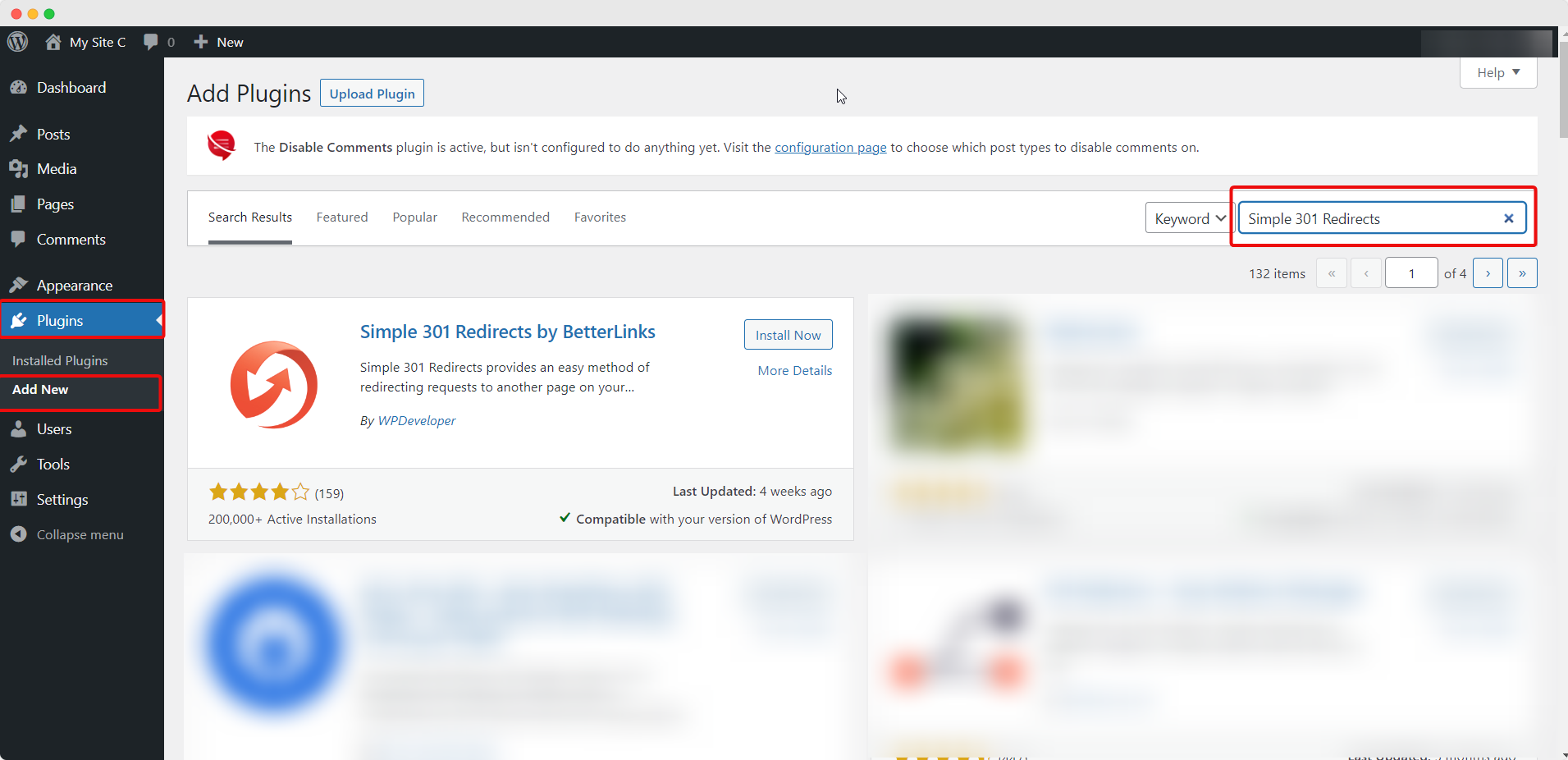
Step 1: Search For Simple 301 Redirects WordPress Plugin
First, navigate to your WordPress dashboard→ Plugins →Add New. Now search for ‘Simple 301 Redirects’ on the search panel and the plugin will be displayed on your dashboard.
Step 2: Install And Activate Simple 301 Redirects On Your Website
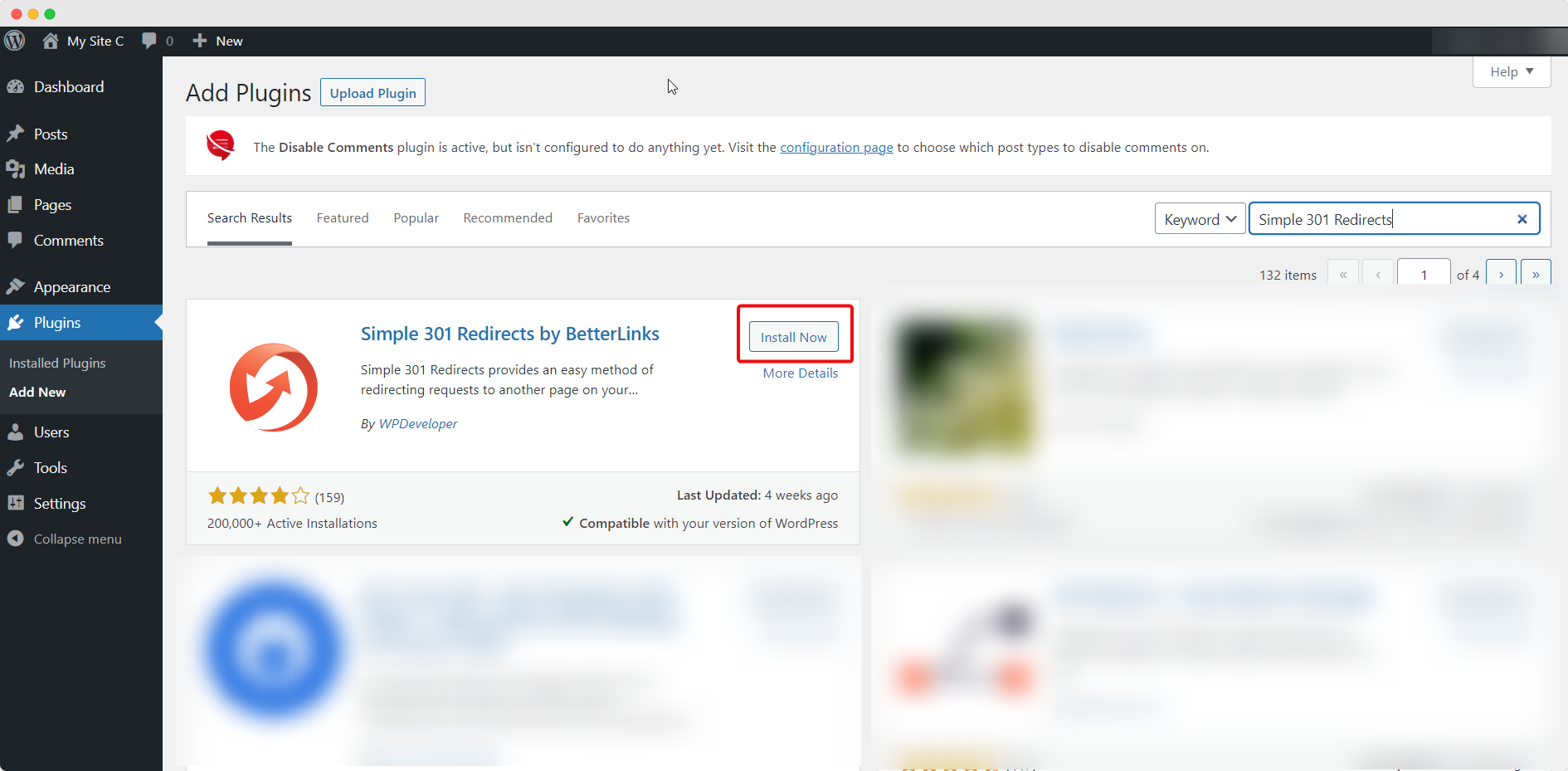
Next, simply click on the ‘Install Now’ button to get Simple 301 Redirects on your WordPress website.
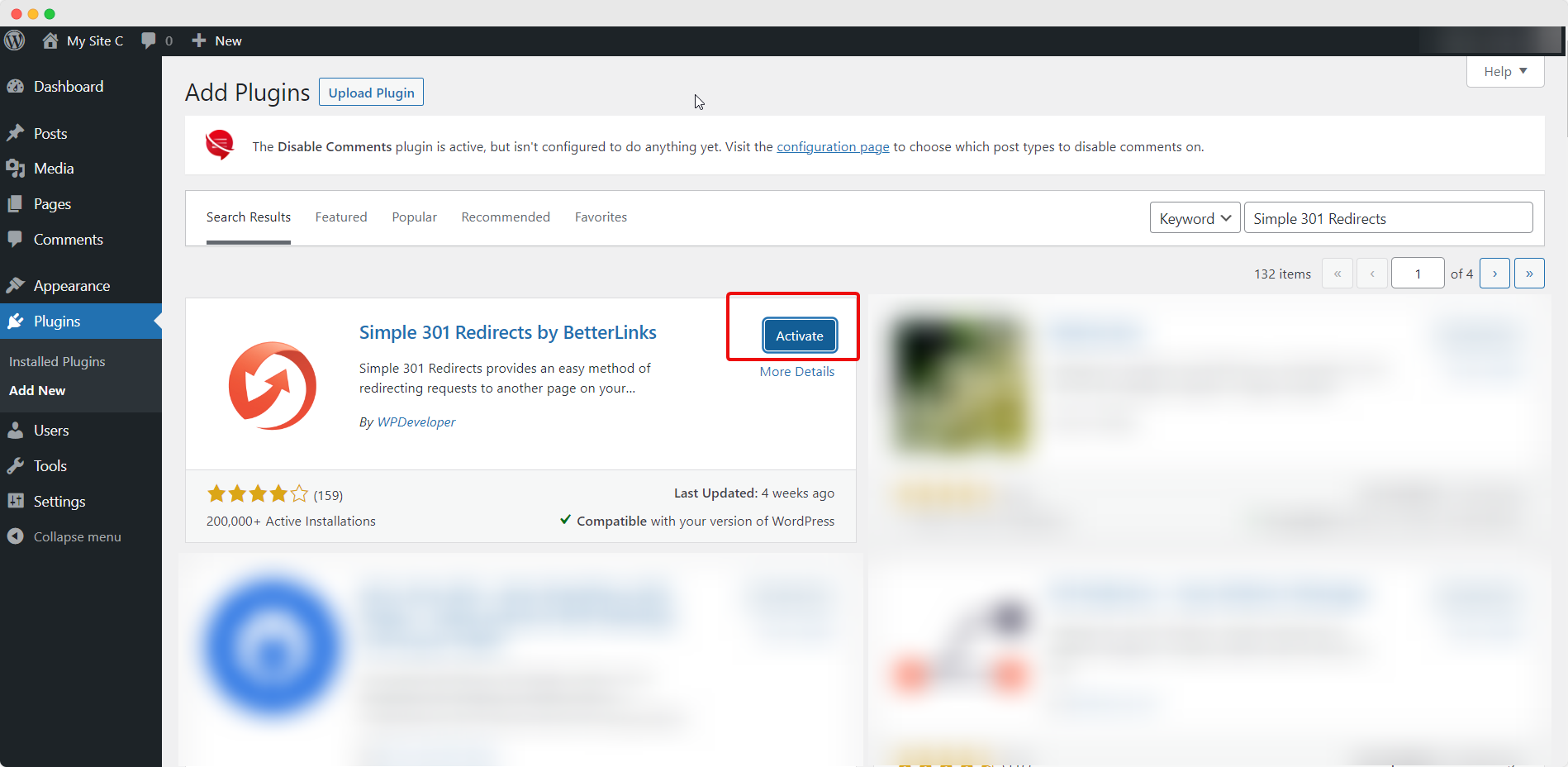
After completing the installation, hit the ‘Activate’ button that will appear in the same place. Simple 301 Redirects will be successfully activated on your WordPress website.
This is how you can install and activate the Simple 301 Redirects plugin on your WordPress site. Now start creating new links and use them in required places with Simple 301 Redirects.
If you need any assistance, feel free to contact our support team or join our Facebook community.
The post How To Install And Activate Simple 301 Redirects? appeared first on WPDeveloper.