How To Export Redirect Links In JSON Format?
With the help of Simple 301 Redirects plugin, you can easily export redirect links in JSON format from your WordPress dashboard and save them on your local storage. Follow the steps below to do this.
Step 1: Navigate To Simple 301 Redirects Plugin Dashboard
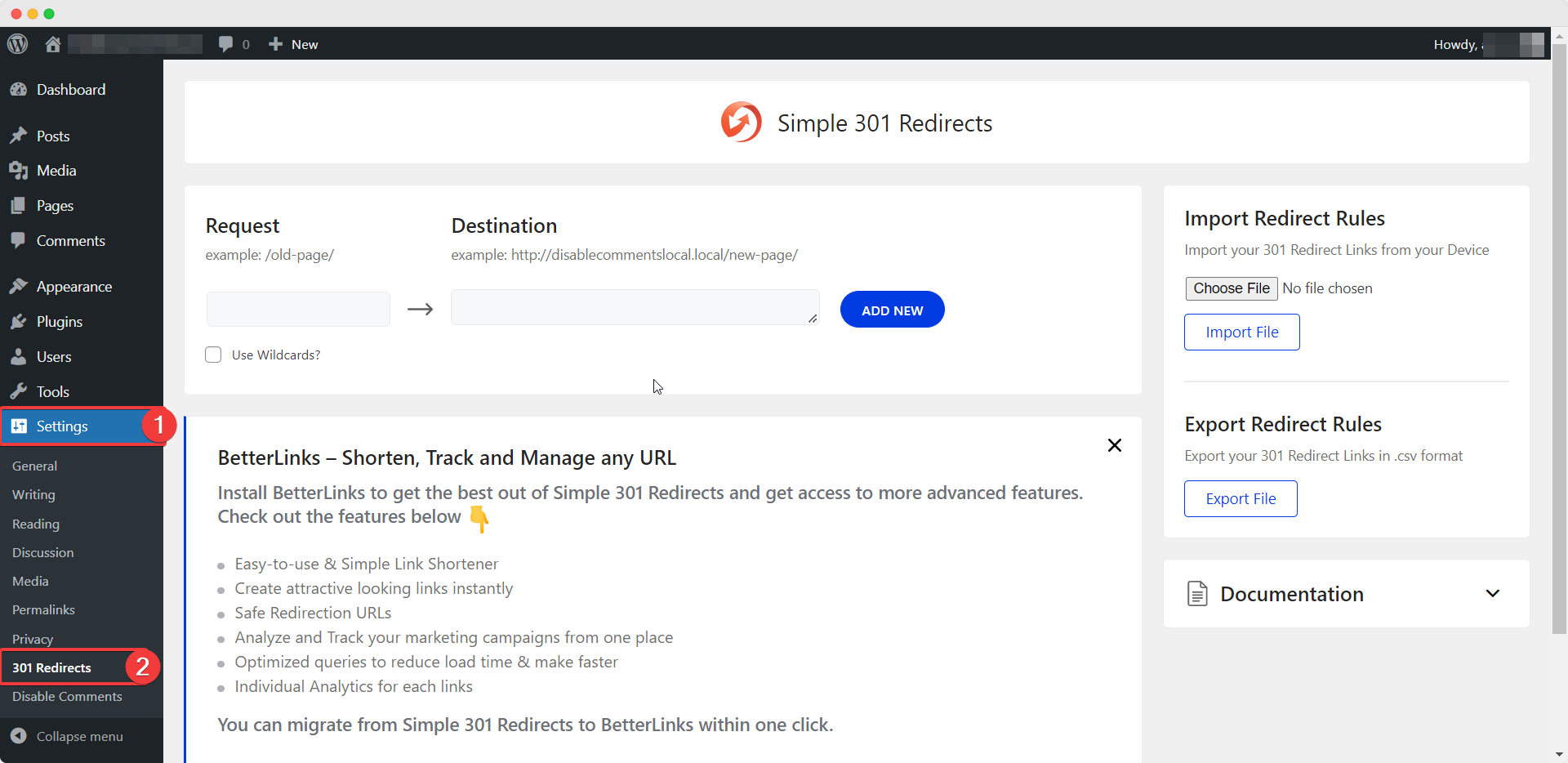
First, you have to ensure that you have installed and activated Simple 301 Redirects plugin on your website. Then, from your WordPress dashboard navigate to Settings –> 301 Redirects. This will take you to Simple 301 Redirects plugin dashboard as shown below.
Step 2: Create Your Redirect Links In WordPress
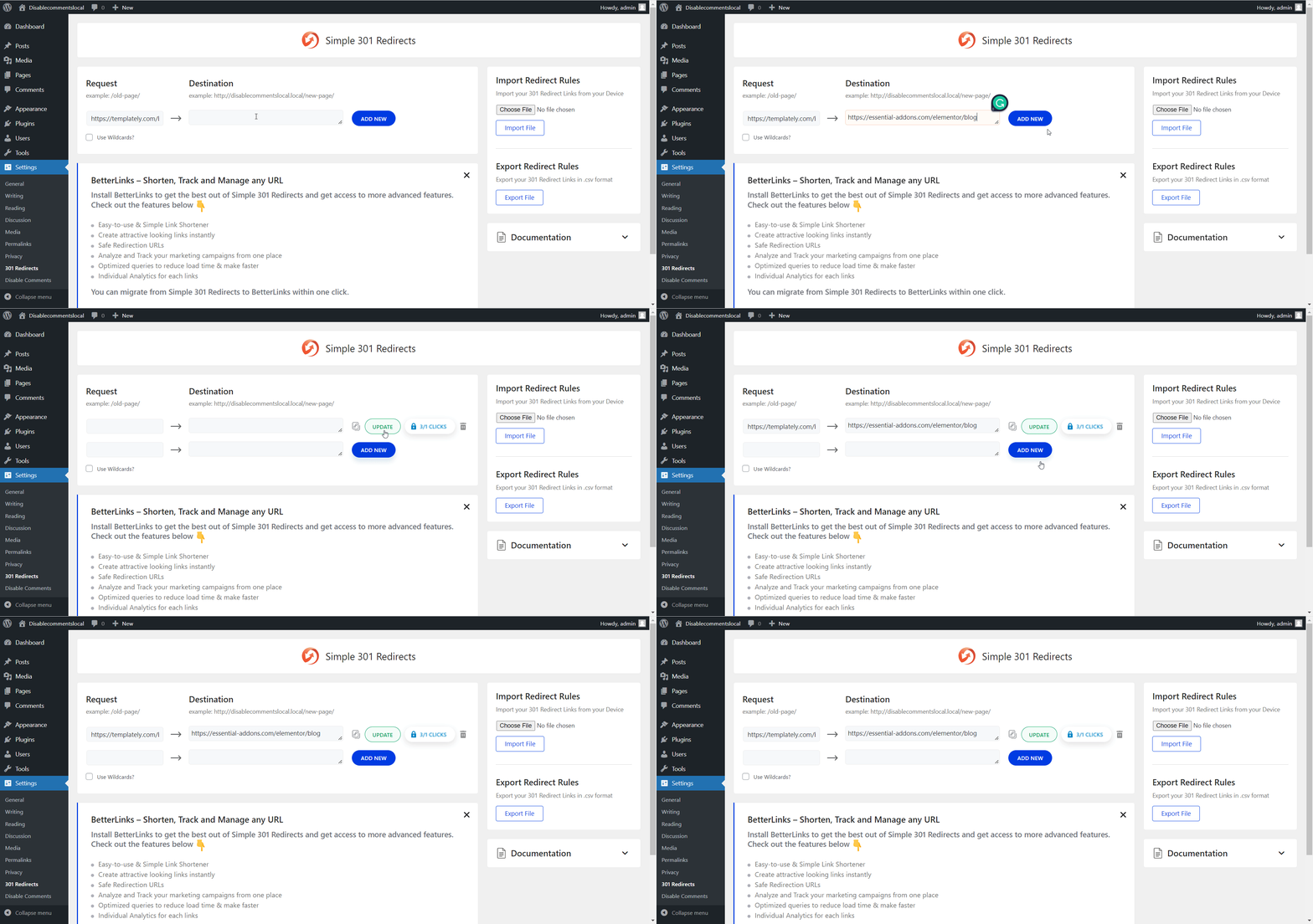
Next, you have to create your redirect links for your website by entering your old URL and your new URL in the appropriate fields as shown below.
Step 3: Export Redirect Links To Your Device
Once you have created your redirect links, you can export them in JSON file format and store them in your local storage. To export redirect links, head over to the ‘Export Redirect Rules’ section and simply click on the ‘Export File’ button.
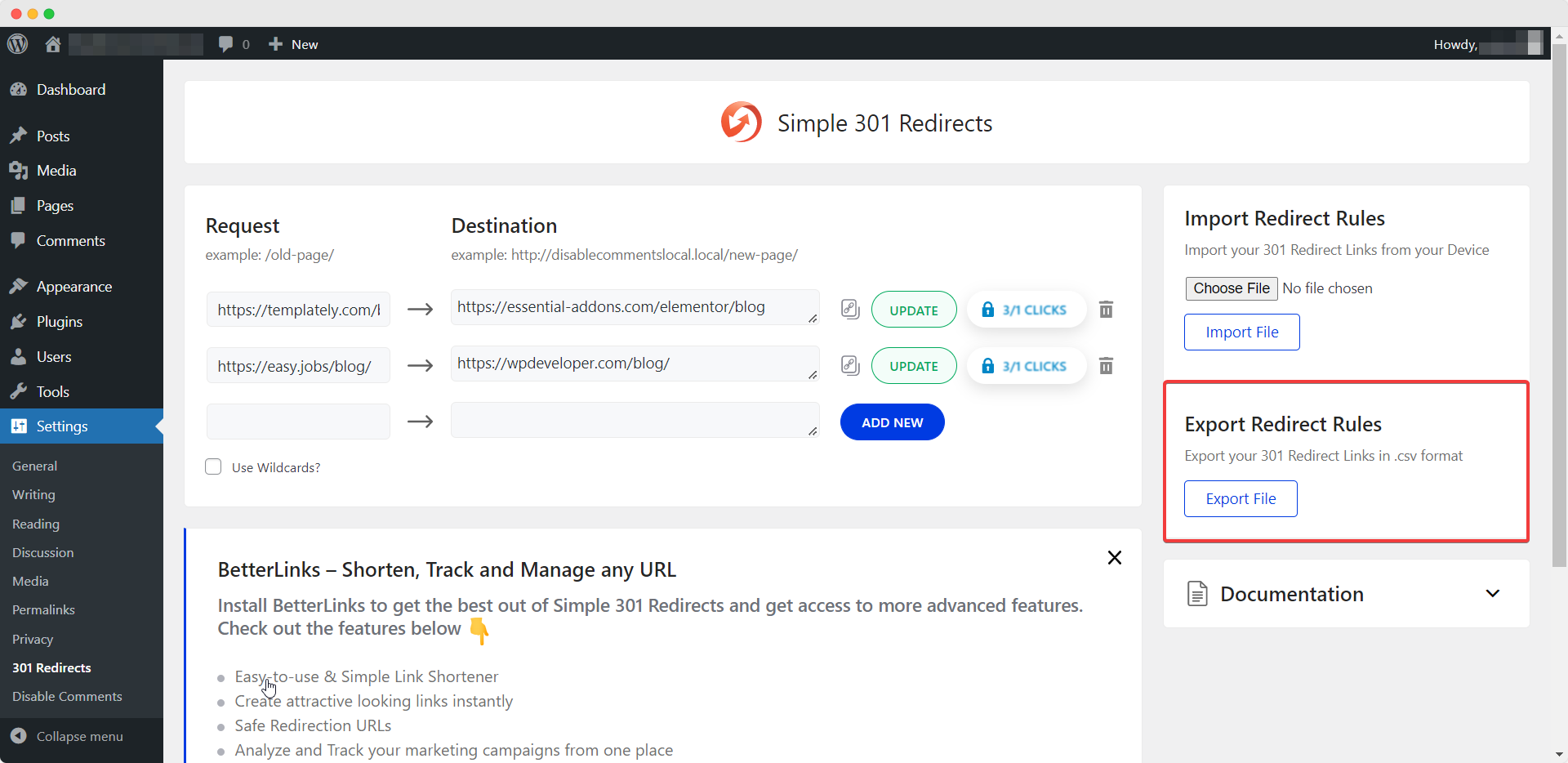
Your redirect links will then be exported to your local storage in JSON file format.
By following these simple steps you can export redirect links in JSON format using Simple 301 Redirects plugin.
If you need any assistance, feel free to contact our support team or join our Facebook community.
The post How To Export Redirect Links In JSON Format? appeared first on WPDeveloper.